A Coway smart air purifier that would only take orders from servers in South Korea ended up handing its traffic to a Raspberry Pi in its owner’s home office instead. Software developer Josh Spicer documented the whole process in a long post on his personal site, and the trick at its center is simple: lie to the purifier about where its cloud lives.
Spicer bought the fan to run in his room while working from home. Like many connected gadgets, it worked only through Coway’s own phone app and needed a constant internet connection. He also noticed it was busy talking to a handful of web addresses that resolved to machines abroad. His goal, he wrote, was to keep the “smarts” while detaching them from the app and the company’s servers.
How the purifier was tricked, step by step
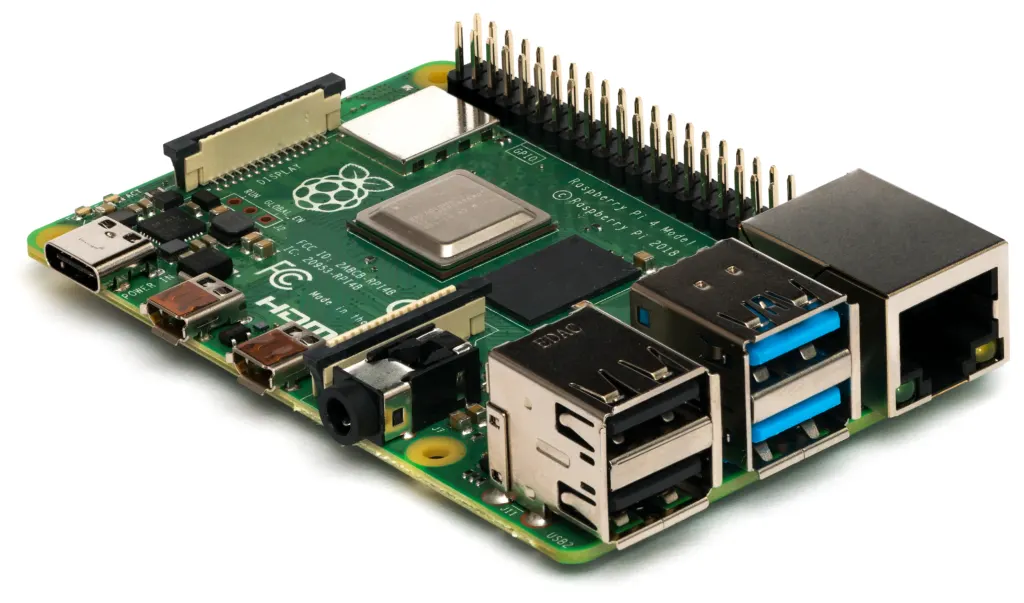
- Build a private Wi-Fi network. He turned a Raspberry Pi into a wireless access point so every packet the purifier and the phone sent passed through a machine he controlled, then watched the traffic with Wireshark and mitmproxy.
- Get past the app’s defenses. The Android app refused to open when it sensed a proxy, because it pins its security certificates. A Frida script switched that check off and revealed the company’s app server addresses.
- Answer the purifier’s first question. Right after joining Wi-Fi, the purifier asks the internet where its Coway server is. The real answer points to an Amazon Web Services load balancer in the Seoul region. Spicer’s Pi answered first, with its own address.
- Pretend to be Coway. The purifier then tried to open an encrypted connection on port 9090 using TLS 1.0, a protocol version most modern tools have dropped. A server program called Hitch could still speak it, and a home-made certificate with the right name was enough.
Once the handshake went through, the purifier began sending its messages to the Pi. Spicer could read them in plain text, and a long string in the first one matched the serial number printed on the back of the unit.
What the hack does and does not do yet
The post is careful about its limits. Spicer has made the purifier believe his Pi is Coway, and he can now see everything it tries to report. He has not yet worked out which commands to send back to change fan speed or modes. “The next step is to figure out what we want to send to the air purifier,” he wrote, ending with an open invitation for anyone who has gone further to email him.
Part of the map already exists. Spicer points out that the phone-app side of the system, the part that talks to Coway’s servers over the web, had already been decoded and documented by the open-source homebridge-airmega project, which lets the purifiers appear in Apple’s Home app. His contribution is the other half: the conversation between the device itself and the cloud.
What it means if you own a connected purifier
For buyers, the post is a reminder of who really controls an app-only appliance. If a maker shuts down the servers a gadget depends on, the smart features can vanish with them, even though the motor and filter still work. Local control, where a device obeys a box on your own network, is the fix hobbyists keep chasing, the same instinct behind Firefox’s push to put a free VPN inside the browser and the open-source culture that keeps projects like Linus Torvalds’ Linux kernel in users’ hands.
It also shows that the purifier did not check hard who it was talking to: it accepted a self-made certificate as long as the name matched. That made Spicer’s project possible, though it is a design choice owners may want to know about.
Anyone hoping to copy the work should know it takes a spare Raspberry Pi, the low-cost British single-board computer that has sold more than 75 million units, a Wi-Fi adapter that supports monitor mode, comfort with Linux networking rules and a few evenings. The decrypted serial-number message is where the post stops, and the command set is the piece still missing. More hands-on gadget projects sit in Badiyaa’s tech section.
Further reading
Image: Laserlicht, CC BY-SA 4.0 via Wikimedia Commons
This article was produced with AI assistance and reviewed by our Editorial Desk. How we work.